
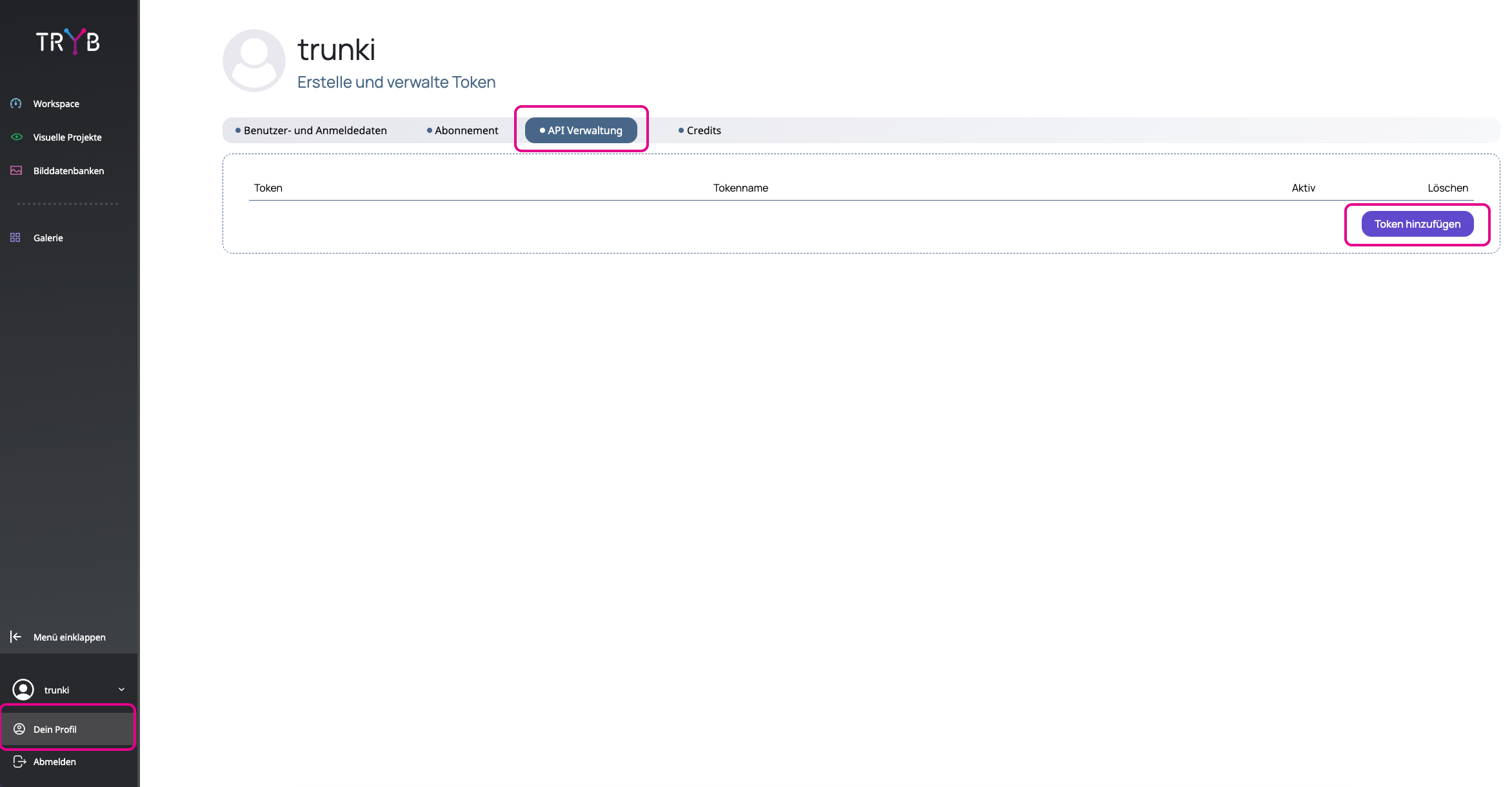
1. Click on “Your Profile” in the bottom left.
2. Switch to the “API Management” tab at the top.
3. Click on “Add Token”, assign a name, and copy the generated token to your clipboard.
TRYB is a platform for collaborative development, training, and deployment of AI models – focusing on machine learning, reinforcement learning, as well as visual and motor learning processes. With TRYB, you can specifically train and expand the capabilities of your pib, among other things. You also have the option to generate your personal token for voice interaction.
As an owner of the Edubox, you receive 1 year of free access to TRYB.
The subscription starts upon activation and runs for 12 months.
It is best to activate your access once your pib is fully assembled and you want to actively work on your use cases.
Create your user account on TRYB or log in with your existing credentials.
Unlock your Edu subscription using your personal link (received via email).
1. Click on “Your Profile” in the bottom left.
2. Switch to the “API Management” tab at the top.
3. Click on “Add Token”, assign a name, and copy the generated token to your clipboard.
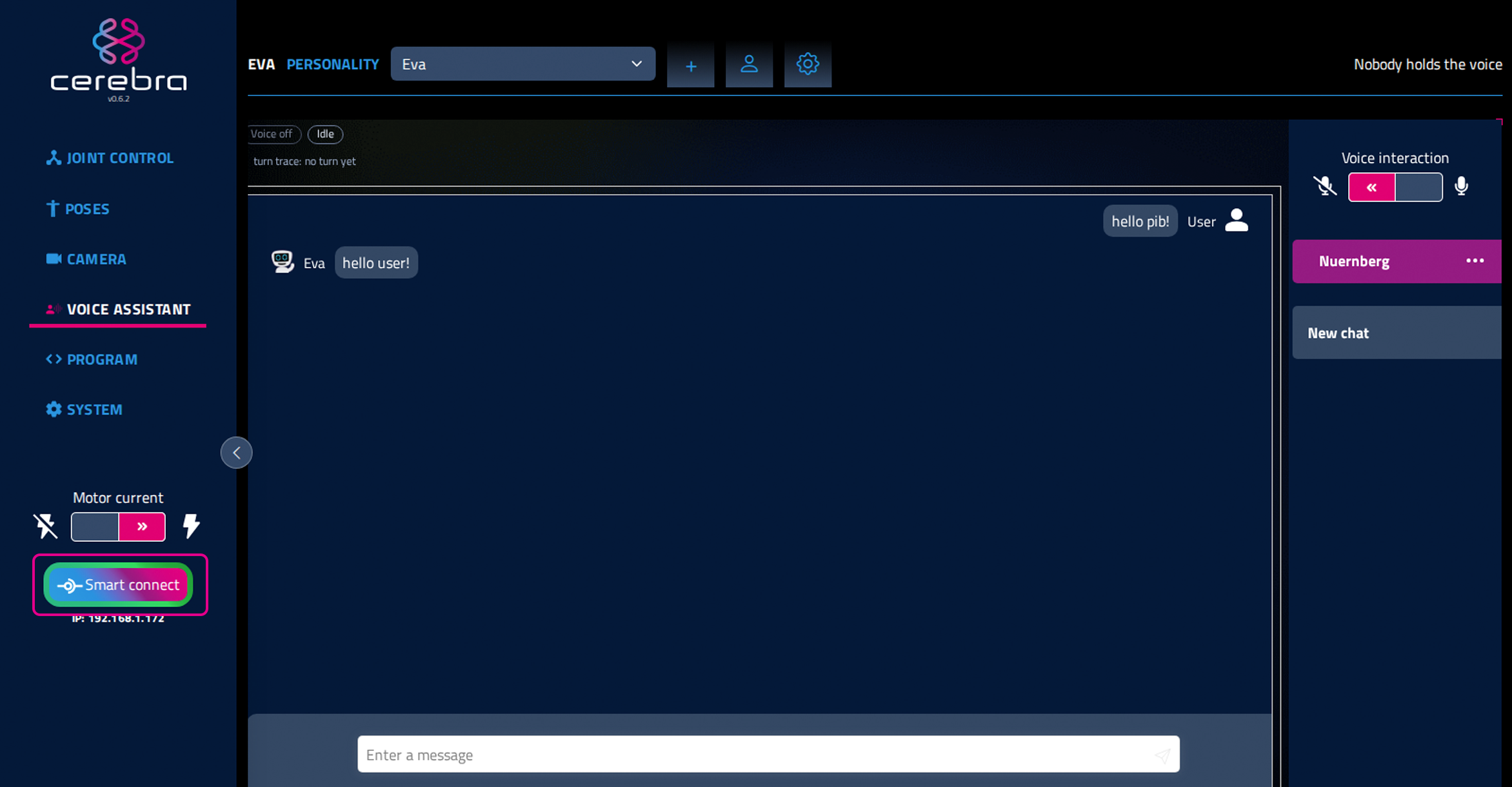
1. Open the cerebra control software on your pib.
2. Click the “Smart connect” button in the bottom left.
3. Paste your generated token to seamlessly connect your pib with the TRYB platform.
If you have any questions, feel free to reach out to us anytime.