Skip to content
// VOCATIONAL TRAINING & EDUCATION

Learn AI & Computer Vision in the Dual Education System

Bridging the gap between vocational classrooms and industrial practice: TRYB enables apprentices and students to train, evaluate, and deploy industrial computer vision without coding hurdles.

100% BROWSER-BASEDREAL COMPONENTSDIDACTIC TRANSPARENCYEXAM-READYGDPR-COMPLIANT (EU)
DUAL SYSTEM

Training Together: Theory and Workbench Seamlessly Integrated

New curricula for mechatronics, IT specialists, and automation engineers require machine learning and sensor technology. Teachers and training managers face the same obstacles – TRYB delivers the barrier-free solution.

TRYB // STATUS QUO 01IT & HARDWARE HURDLES

In Vocational Schools

School computers lack expensive GPUs, local software installations fail due to strict IT policies, and extensive Python syntax overburdens tight schedules.

TRYB // STATUS QUO 02THEORY WITHOUT PRACTICE

In Training Companies

Industry 4.0 must be taught practically. Many offerings remain purely theoretical or use synthetic toy datasets with no connection to actual manufacturing lines.

TRYB // DUAL BRIDGE ARCHITECTURE
THE SHARED SOLUTION
// INTEGRATED METHODOLOGY

Seamless Computer Vision from Theory to Manufacturing

TRYB eliminates hardware barriers and software complexity, creating a shared learning environment for classroom concepts and shop-floor reality.

TRYB // SOLUTION 01

100% Browser-Based & Cloud Training

Zero installations, no expensive GPU hardware: Training runs in the secure TRYB Cloud, operated directly on standard school laptops.

TRYB // SOLUTION 02

Hands-On with Real Workpieces

Apprentices learn the methodology on real manufactured components, assemblies, and typical surface defects from their own shop floor.

TRYB // SOLUTION 03

Didactic Transparency over Black-Box

With the visual training tree, students immediately see how datasets affect precision, recall, and overall model accuracy.

TRYB // SOLUTION 04

Chamber of Commerce (IHK) Exam Relevance

Projects built with TRYB serve as ideal practical submissions for final apprentice qualification exams.

DIDACTIC CONCEPT

The 4-Step Didactic Workflow

From initial image capture to live quality assurance: TRYB covers the entire lifecycle of an industrial computer vision project in a structured, accessible way.

STAGE 01 // DATA

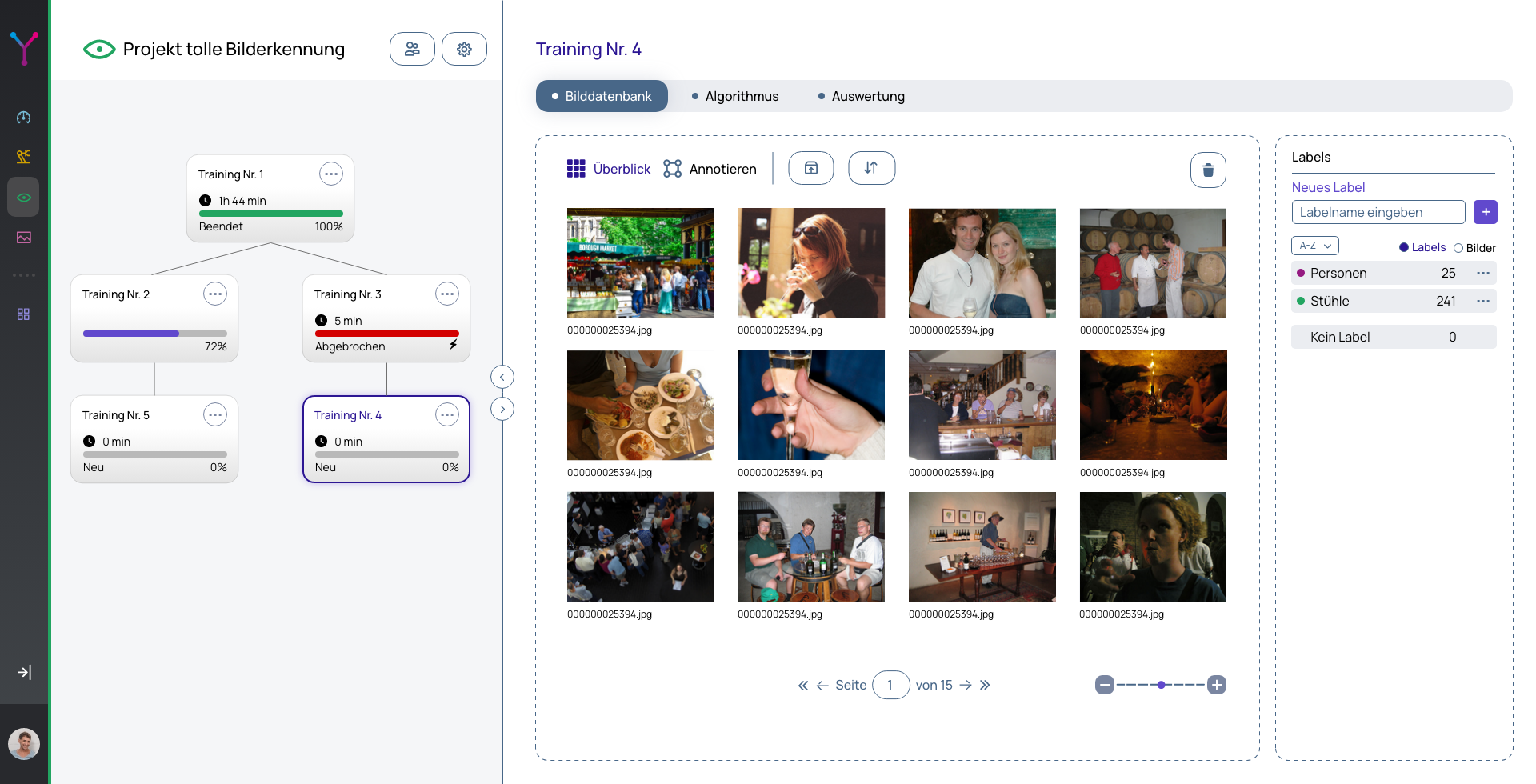
Capture Workpieces & Image Datasets

Apprentices select a real manufacturing part or test specimen and capture image data under authentic workshop conditions.

By varying lighting conditions, perspectives, and systematically recording good versus defective parts, learners understand the golden rule of AI: a model is only as reliable as the data it is trained on.
  • Grasping data quality & sensor characteristics
  • Targeted recording of assembly & surface defects
  • Awareness of workshop lighting and visual noise
TRYB // DATA ACQUISITION
TRYB Studio – Image dataset management and collection
STAGE 02 // ANNOTATION

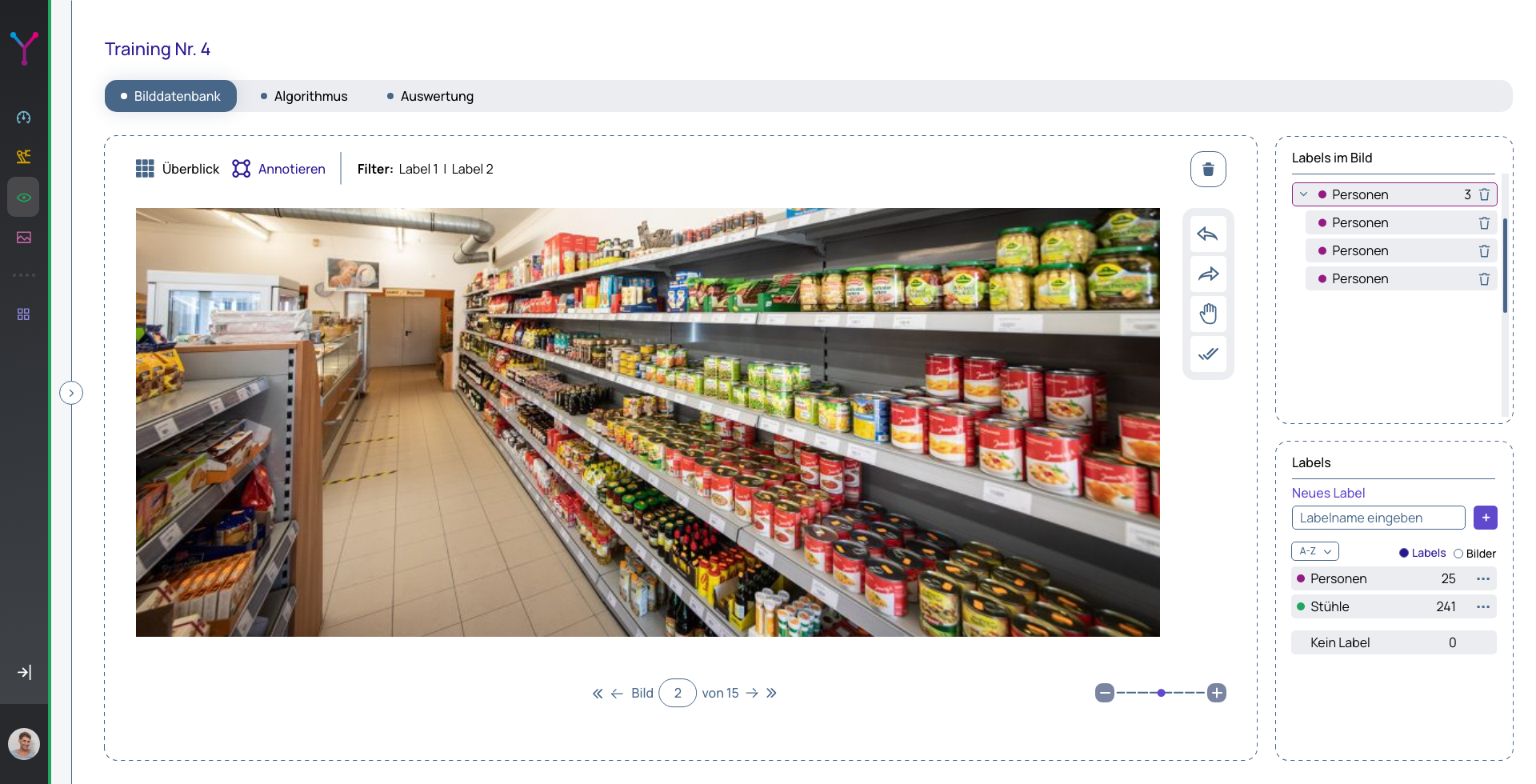
Collaborative Team Labeling

Teams collaborate directly in the web browser to annotate bounding boxes and classify defects. The shared workspace allows student groups to work concurrently on the same dataset.

Apprentices learn essential industrial QA standards: how defect classes are consistently defined and why the four-eyes principle prevents biased training results.

  • Collaborative teamwork in shared workspaces
  • Clear defect classification (pass/fail, geometry, surface)
  • Industrial annotation adhering to the four-eyes principle
TRYB // COLLABORATIVE LABELING
TRYB Studio – Collaborative labeling and defect annotation
STAGE 03 // TRAINING

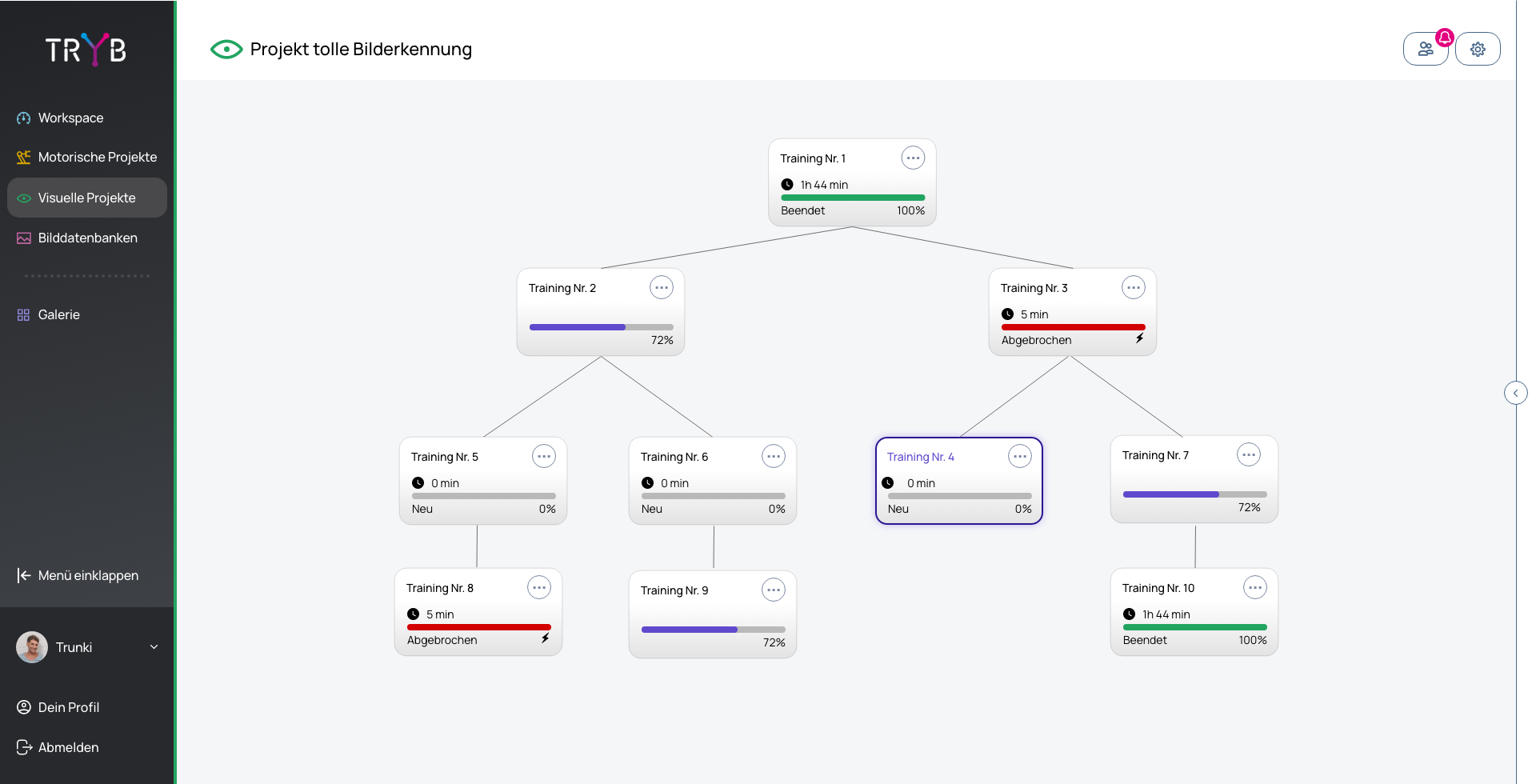
Train Models & Iterate Visually

Cloud training is triggered at the click of a button. Instead of cryptic code, TRYB’s interactive visual training tree illustrates model progress step by step.

Students learn to interpret key metrics like precision, recall, and confusion matrices, identify model misclassifications, and retrain selectively with supplementary images.

  • Zero code required – full focus on machine learning logic
  • Interpreting core metrics: Precision, Recall & Confusion
  • Targeted optimization through iterative data enrichment
TRYB // TRAINING TREE
TRYB Studio – Visual training tree and model iteration
STAGE 04 // INFERENCE

Live Operational Testing on the Workbench

The trained vision model runs on a standard webcam or industrial USB camera directly at the training workbench.

Apprentices receive real-time visual and audible QA feedback: component identification, completeness checks, and pass/fail classification right at the line.

  • Live inference using any standard webcam or camera
  • Real-time feedback (OK / NOK / part identification)
  • Seamless handover to PLC, robotic, or testbench workflows
TRYB // LIVE INSPECTION
TRYB Studio – Live inspection and inference on components
MODULAR FORMATS

Flexible Deployment Models for Classrooms & Workshops

TRYB adapts to your timetable – from focused vocational school project weeks to comprehensive apprentice qualification projects.

PROJECT WEEK & WORKSHOP2 DAYS (APPROX. 16 HOURS)

Model A: 2-Day Compact Workshop

Compact Introduction to Computer Vision

Perfect for STEM project weeks at vocational colleges or intensive orientation days in apprentice workshops.

// KEY HIGHLIGHTS
  • Day 1: Introduction, part selection, image acquisition & collaborative labeling
  • Overnight: Cloud training without requiring local GPU infrastructure
  • Day 2: Training tree evaluation, fine-tuning & live workbench testing
  • Outcome: Every team builds their own working AI inspection model
VOCATIONAL EXAM PROJECT4 WEEKS (E.G. 1 DAY / WEEK)

Model B: 4-Week Enterprise Project

Real Manufacturing Inspection Task

For second-year apprentices onwards to independently solve an authentic quality control challenge directly in manufacturing.

// KEY HIGHLIGHTS
  • Week 1: Requirement gathering on an active assembly line or workbench
  • Week 2: Iterative dataset capture across varying shift conditions
  • Week 3: Model tuning, confusion analysis, and validation with instructors
  • Week 4: Integration with testing stations & final exam documentation
SECURITY & SUPPORT

Framework Conditions

TRYB // SECURE

100% Data Sovereignty & EU Cloud

All datasets reside in isolated, GDPR-compliant organization workspaces with guaranteed EU data residency.

Strict logical tenant segregation
No use of your proprietary images for third-party training
Complete data sovereignty for educational institutions
TRYB // SIMPLE

Didactic Teaching Guides

Ready-to-use lesson plans, didactic worksheets, and starter datasets are provided directly to instructors.

Step-by-step student exercise manuals
Pre-configured sample datasets for quick setup
Ready for class without lengthy preparation time
TRYB // PERSONAL

Test Accounts & Educational Licenses

We support schools and training centers with flexible licensing models and personalized onboarding.

Free trial accounts for educators to evaluate the platform
Scalable classroom and apprentice licenses
Personal technical guidance from our engineering team
PILOT PROGRAM & EDUCATION

Bring Computer Vision to Your Apprentices

Ready to introduce TRYB to your vocational school, training workshop, or educational institution?

Test TRYB for free directly in the browser or connect with our engineering team to explore customized classroom packages.

  • Free trial access to explore the platform
  • Zero GPU hardware setup or software installation required
  • Teaching materials & exam-ready curriculum projects included
TRYB // TJ GRAEBE
TJ Graebe

TJ Graebe

Solution Engineering & Educational Projects

TRYB TEAM